Runtime Report
In Auto Sync mode, Sync Vault records detailed information about the most recent synchronization. Use the sync report to diagnose errors encountered during the current sync.
Sync Vault Dashboard
- Click “Activity Logs” to view real-time runtime logs.
- Click “Quick Actions” → “Recent Sync” to view the results of the most recent sync.
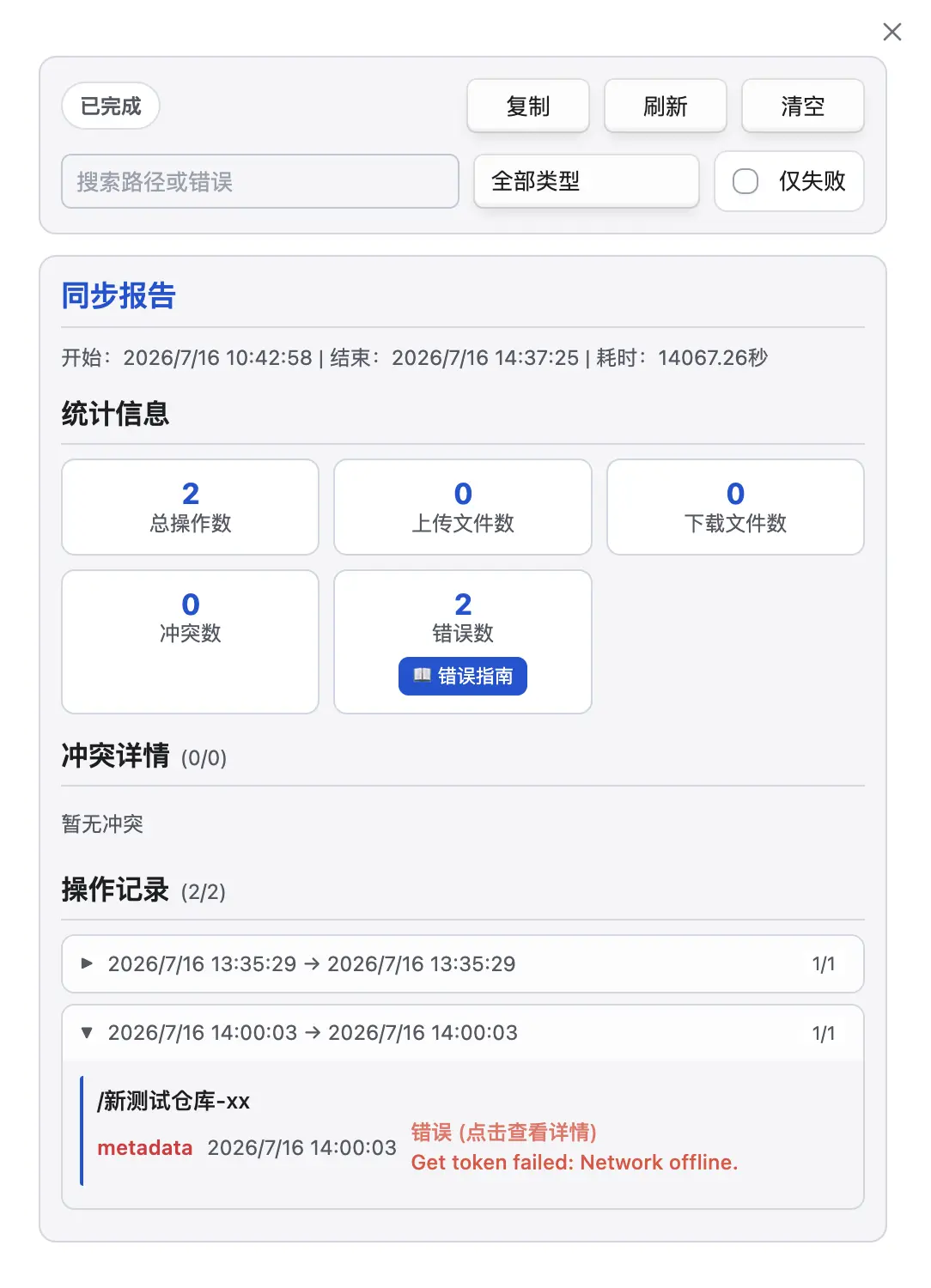
The report has two parts: the Control Area and the Display Area.
Control Area
Section titled “Control Area”Search or filter the sync logs.
Display Area
Section titled “Display Area”Each sync round is shown as a collection; expand it to view the specific sync records. If an error occurred, click the red error link to view the detailed error content—for example, “Network offline” in the figure means the network is currently disconnected.